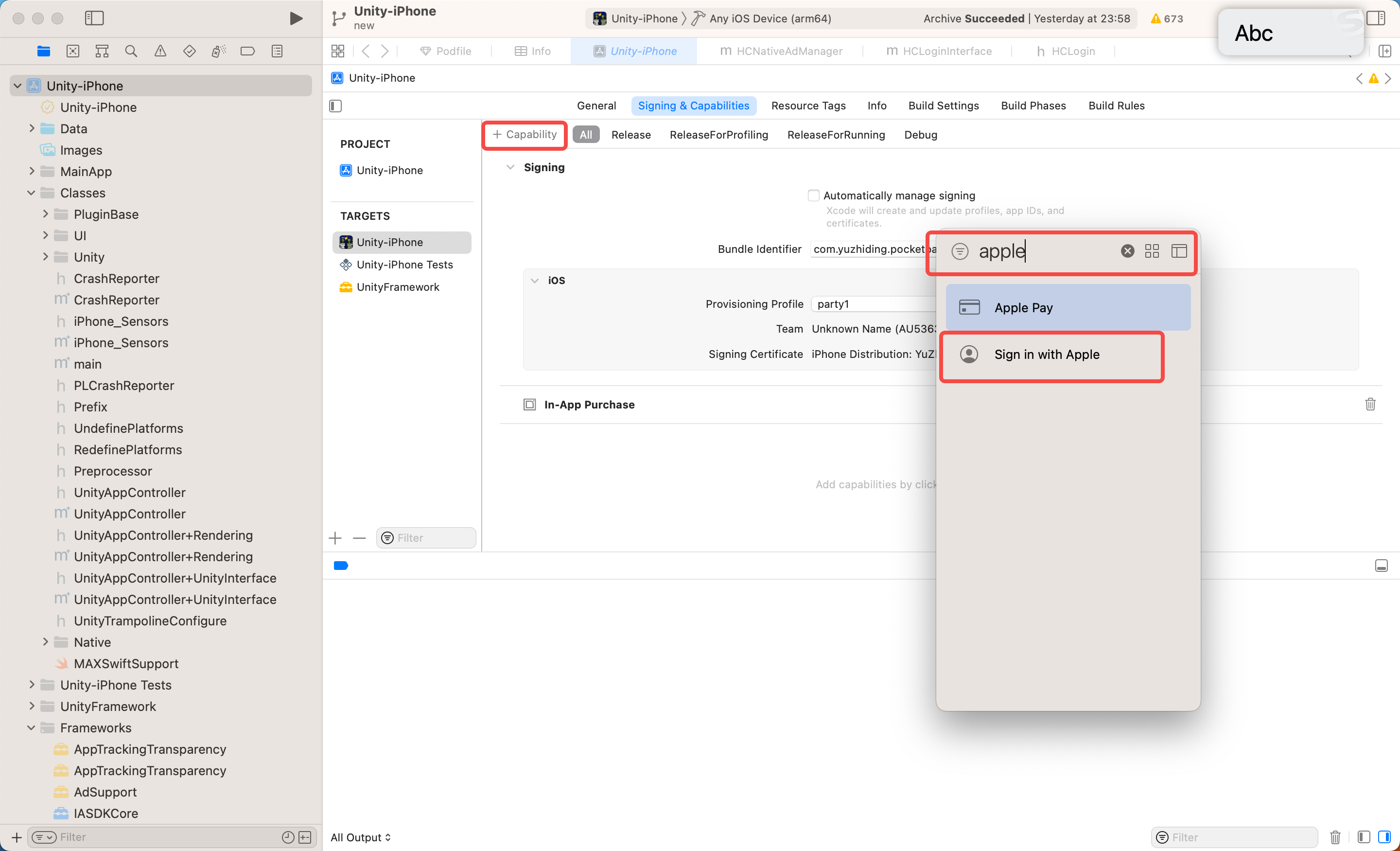
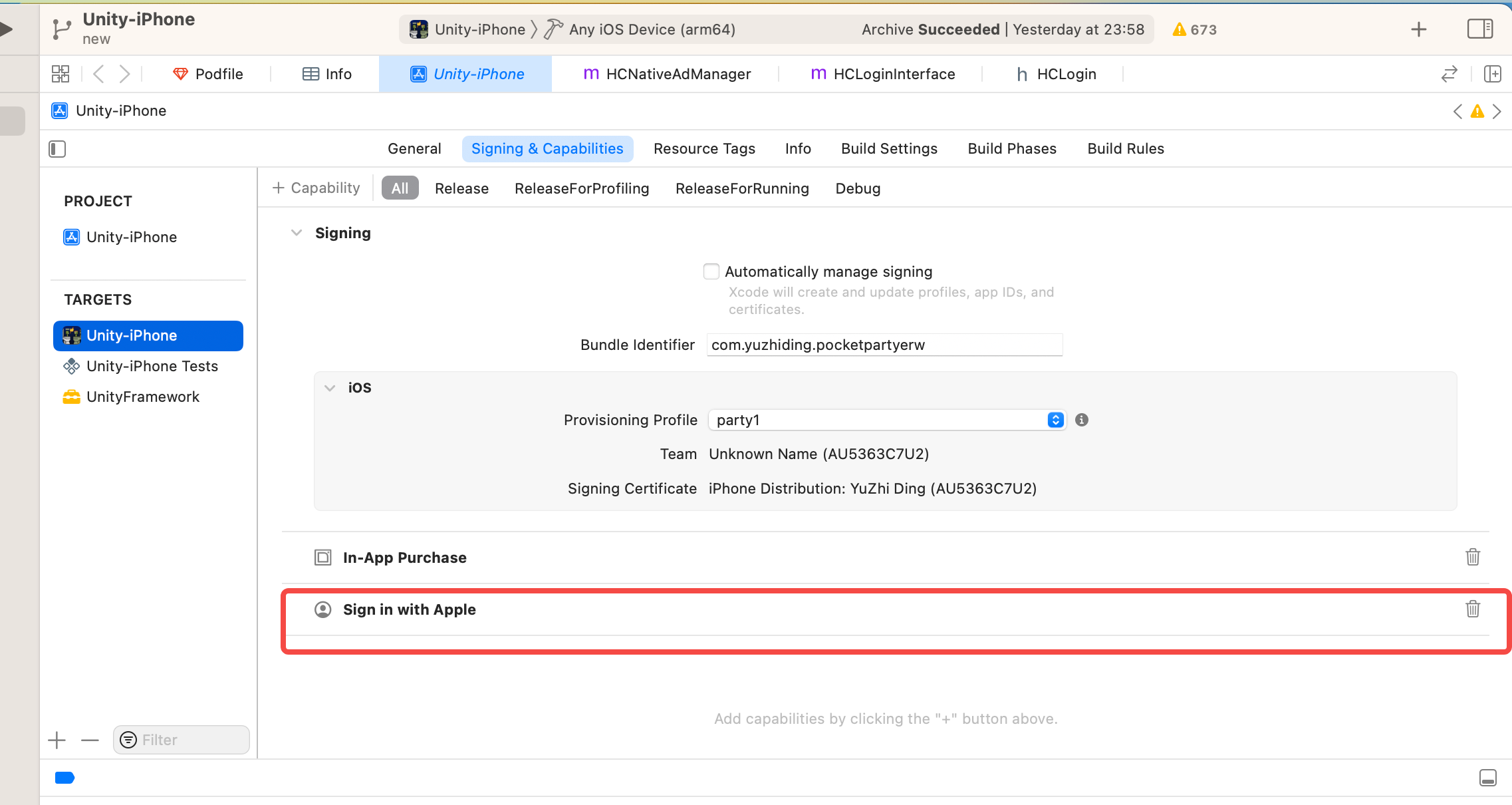
For iOS
1、Cocopods
Since ads and Firebase are managed by Cocopods, after exporting the xcode project, you need to install the third-party library with the pod install command.
1.1 modify the Podfile
The following code segments need to be removed each time the project is exported!
'target 'Unity-iPhone' do
end
execute the command
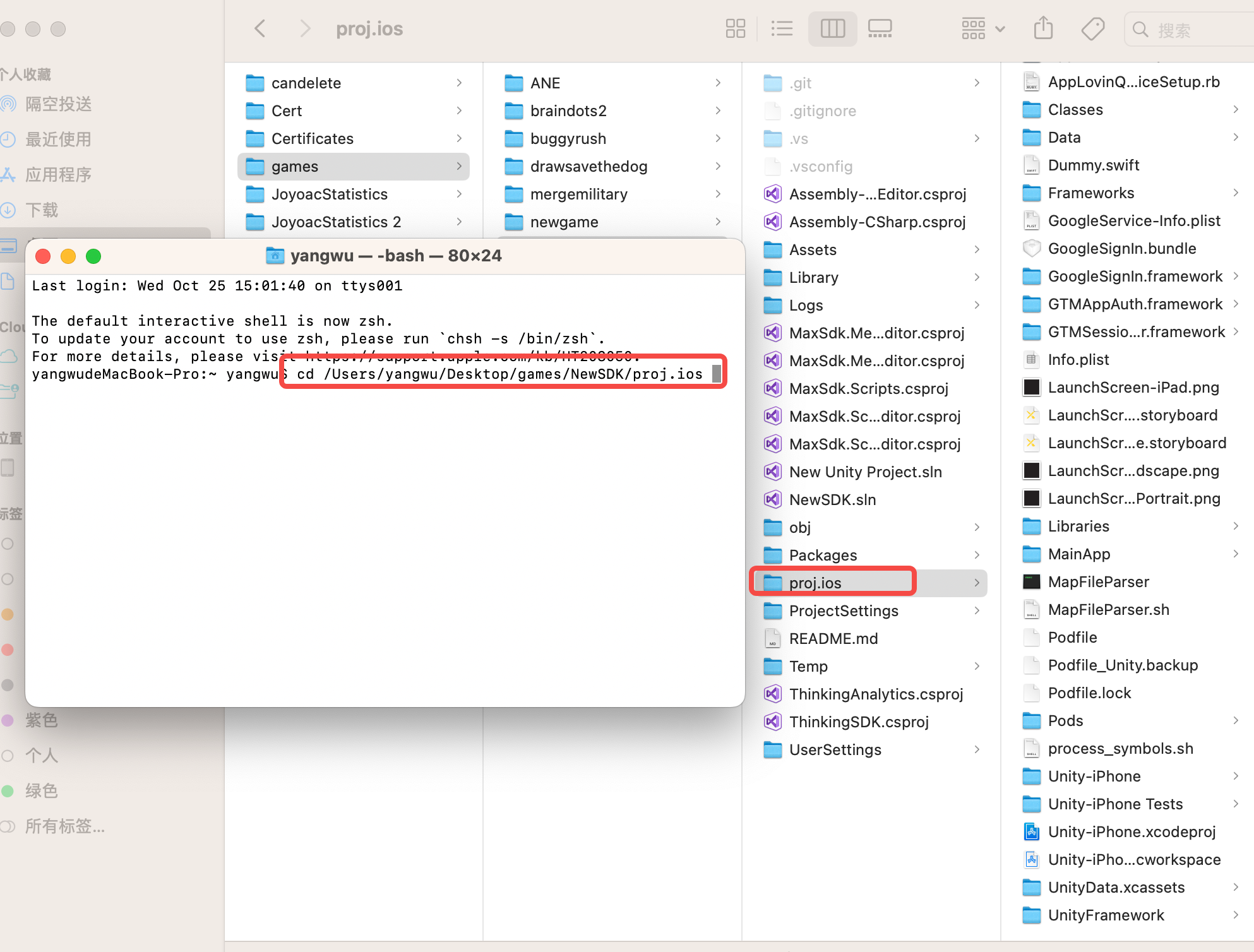
Open the terminal, cd to the exported xcode project directory, and execute
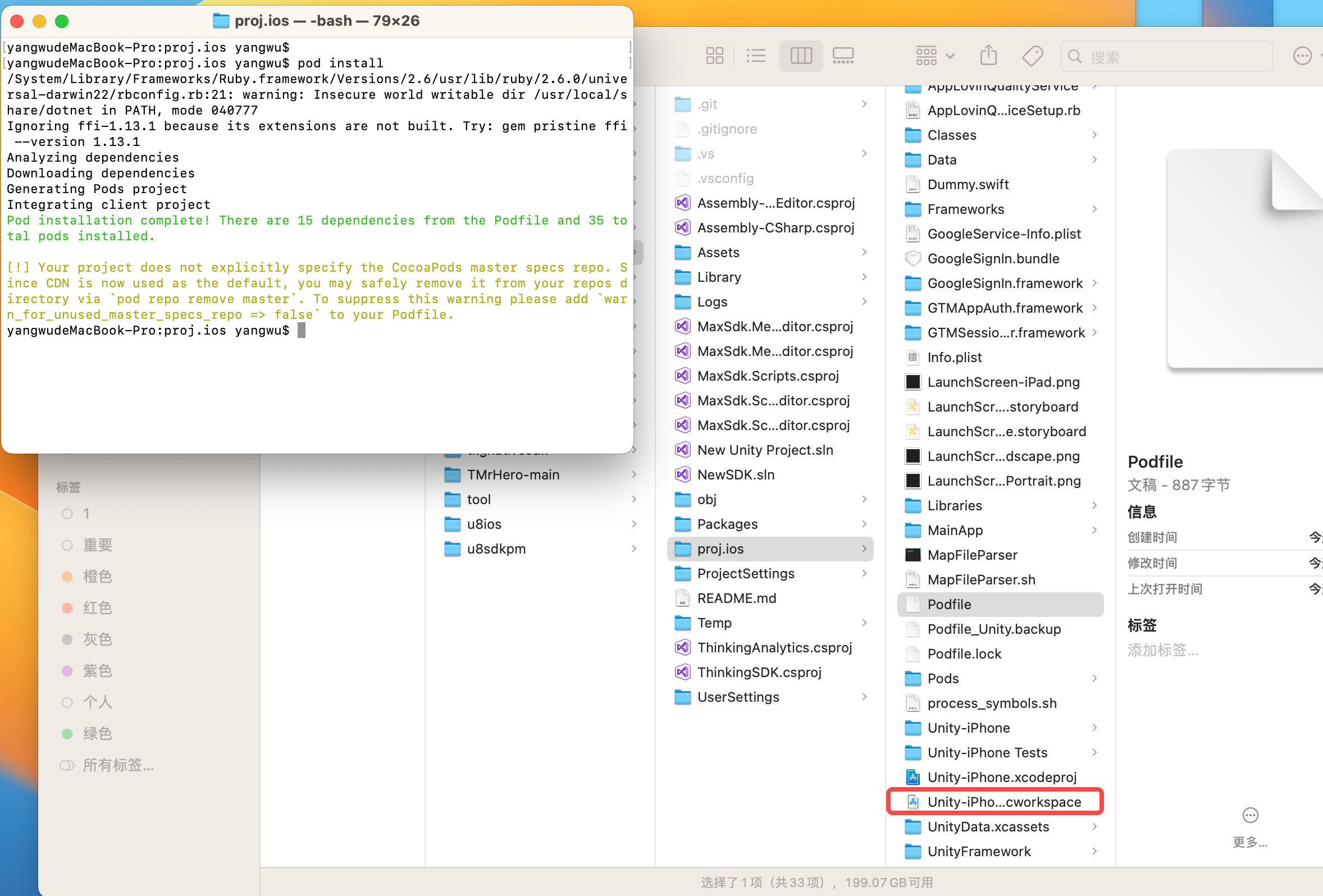
pod install
After successful execution, open the white Unity-iPhone.xcworkspace to debug the project.
2. Add dynamic libraries
2.1 Find Products in the project and select any file Show in Finder
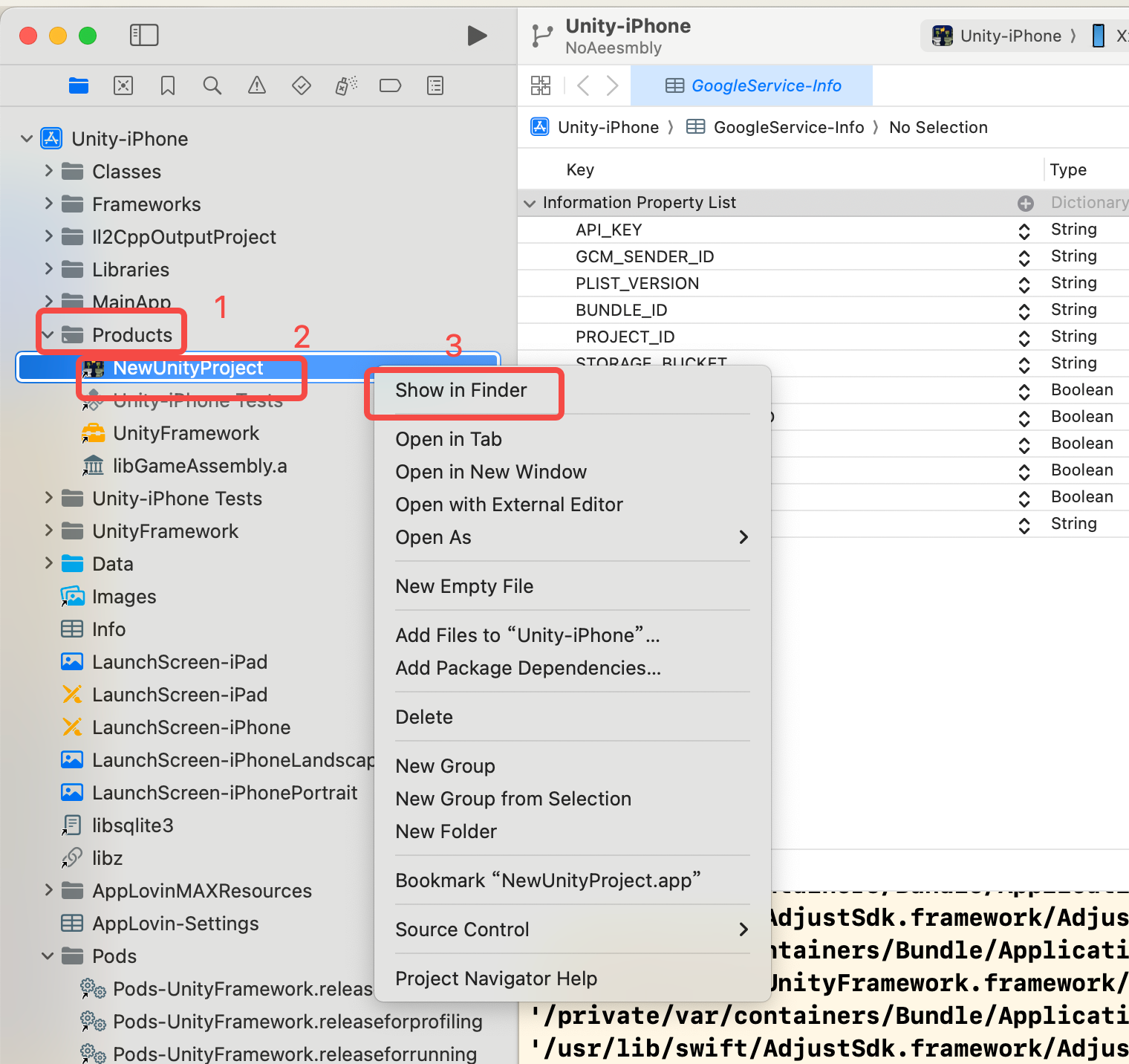
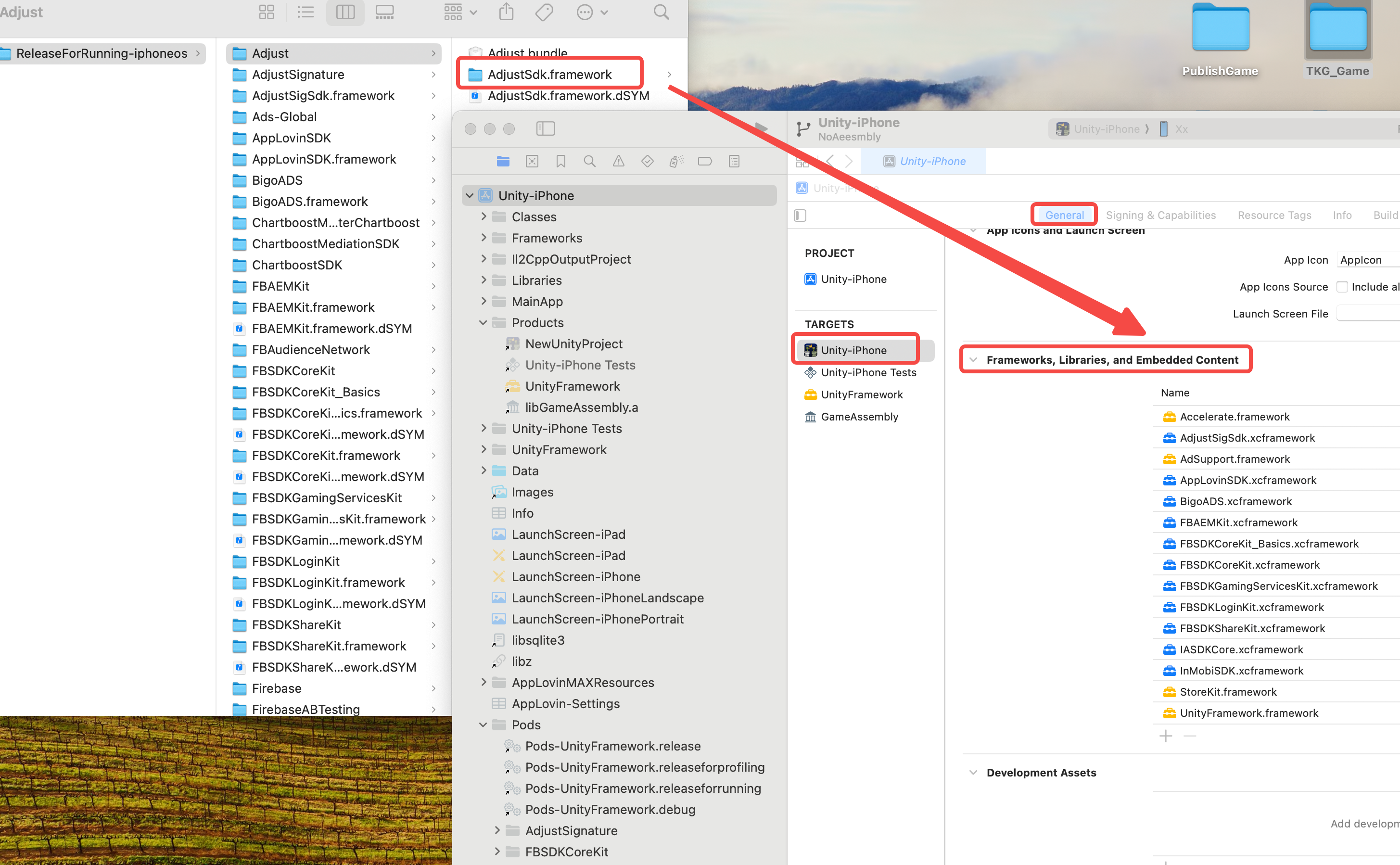
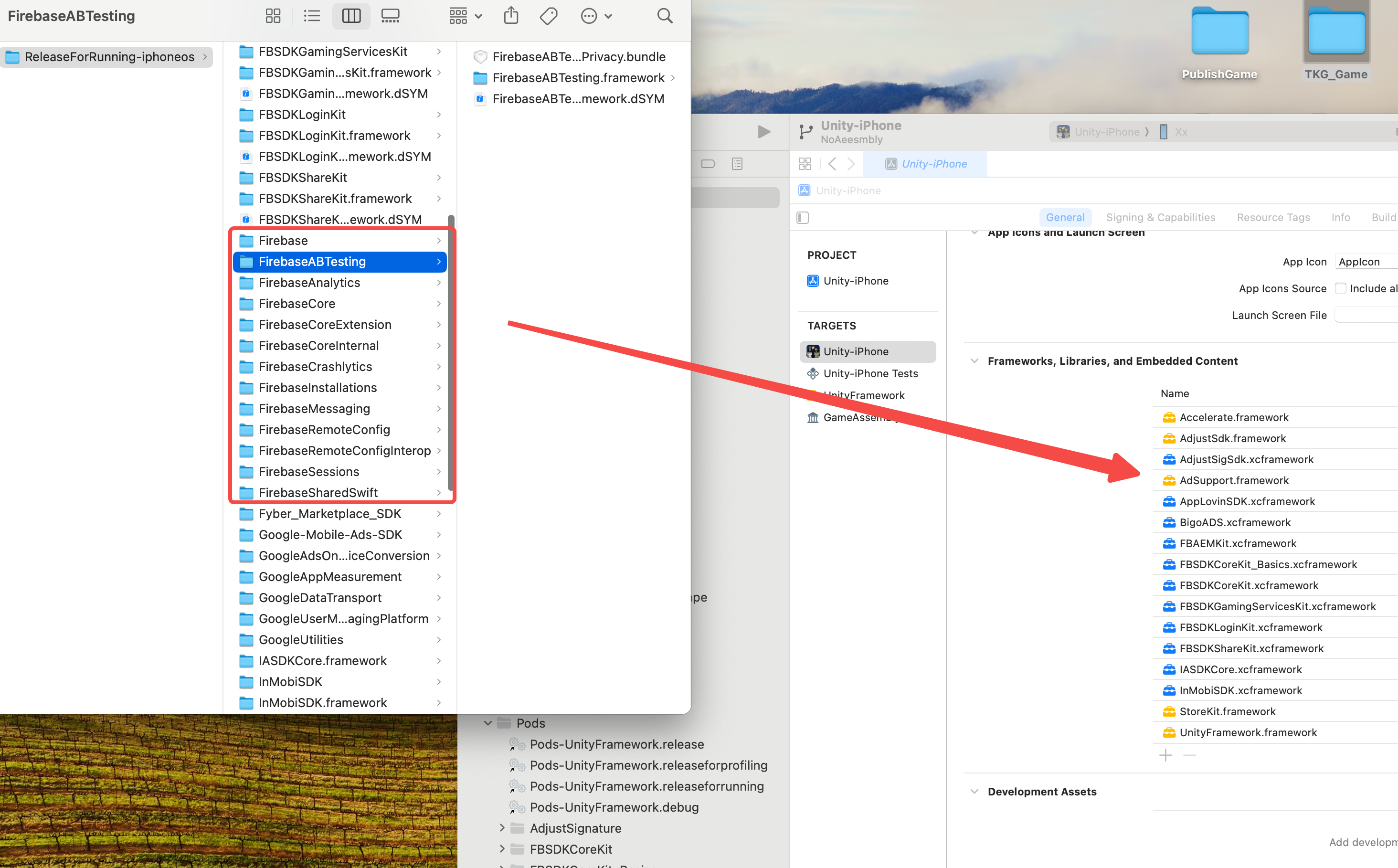
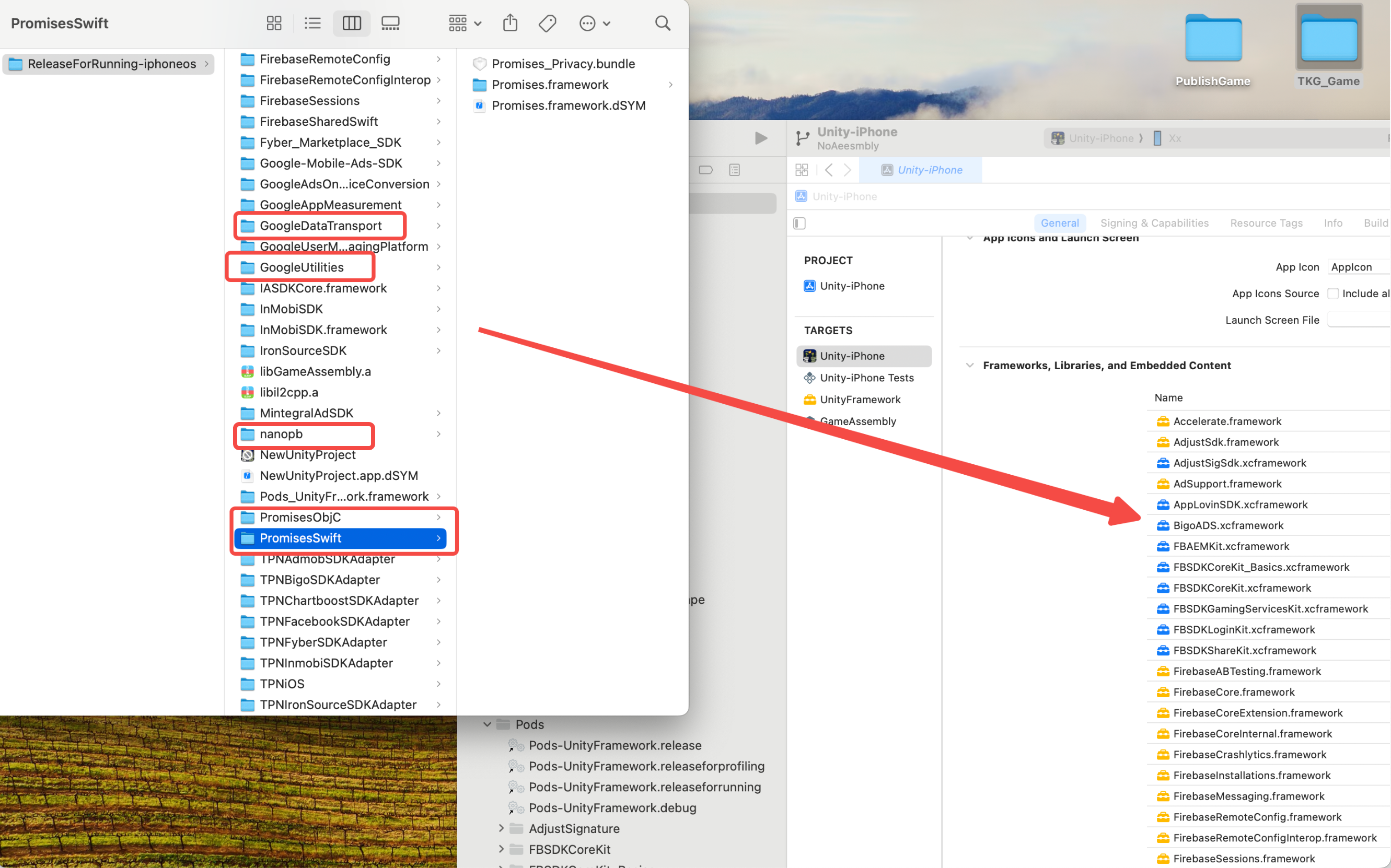
2.2 Drag the framework shown in the figure below to Unity-iPhone -> General ->Frameworks, Libraries, and Embedded Content in the TARGET directory as shown in the figure below:
3、iOS Google Login
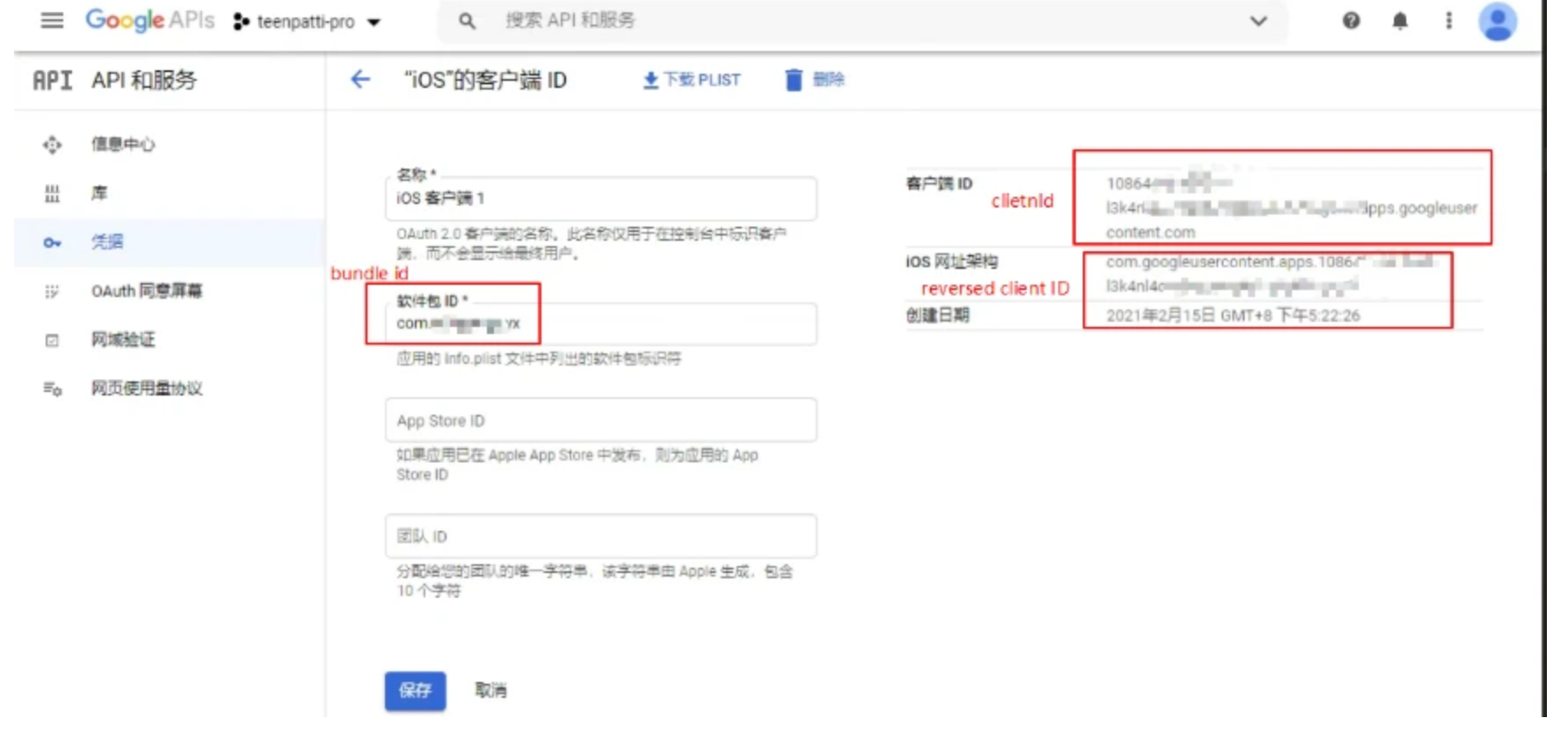
You need to obtain the reversed clientID and clientID
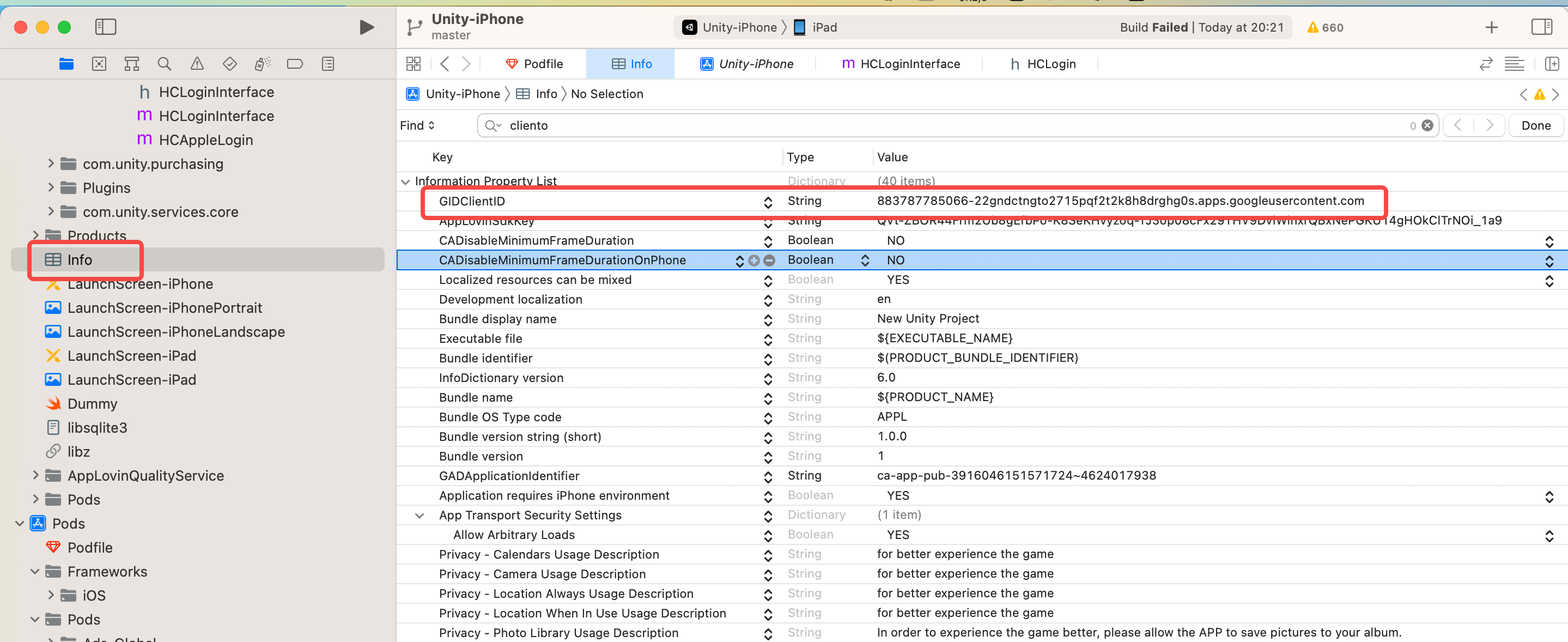
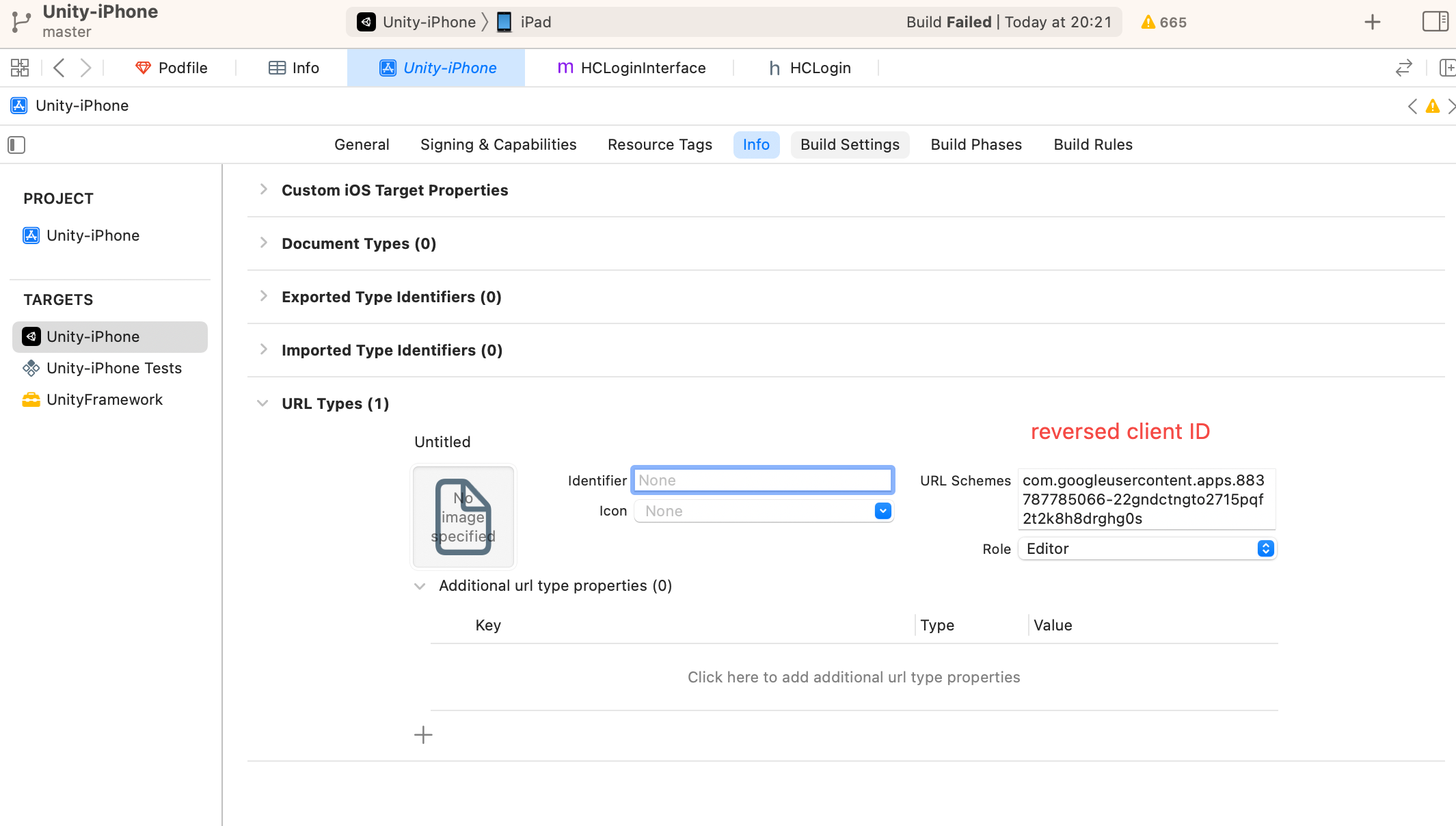
Add reversed client ids and clients to info.plist
4、Apple login